
Skip to content

Your social media. All together.

Plan, publish and grow across channels. One calendar for your content, your team and your AI tools.

Get started Explore the platform
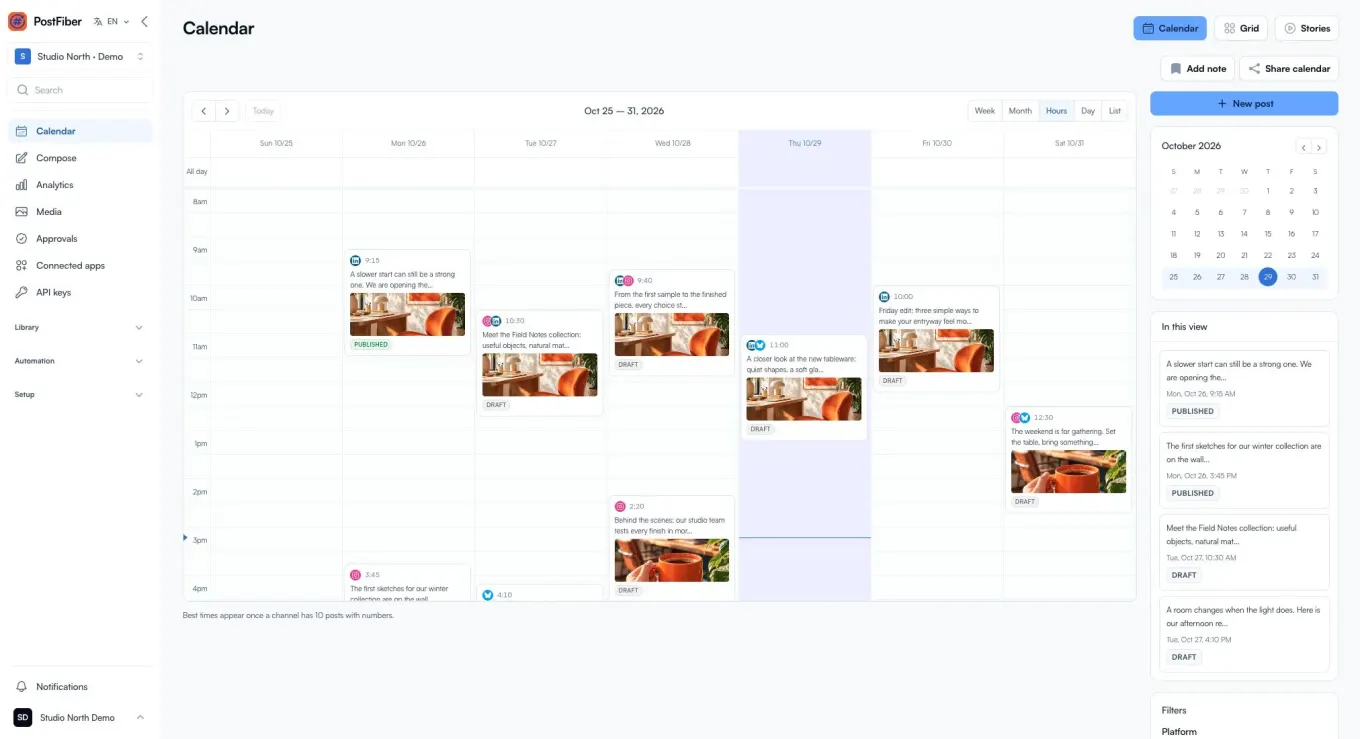
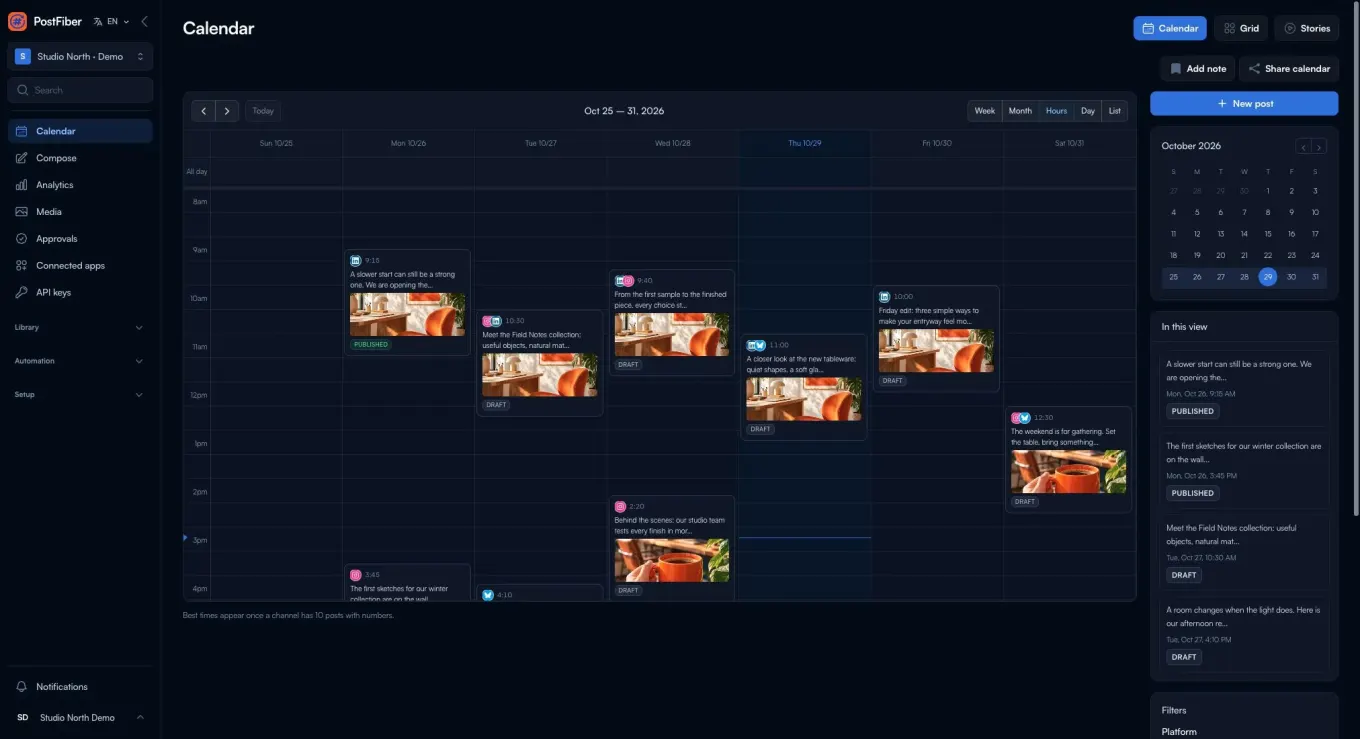
The PostFiber calendar showing scheduled posts, media previews and publishing statuses.

Make room for your best work.

Everything you need to plan, create, collaborate and measure — so you can spend less time juggling tools and more time doing what you do best.

  • Plan & publish

    A clear calendar for your channels and campaigns.

  • Collaborate & approve

    Keep your team and clients in sync with clear approvals.

  • Manage your inbox

    Reply to supported comments and messages in one place.

  • Understand what works

    Use analytics and reports to plan your next move.

  • Connect your tools

    Build with the REST API, MCP and your AI agents.

A full calendar. A clearer head.

Plan across brands and channels without rebuilding your week in a spreadsheet. See what is ready, what needs review and what goes out next.

  • Month, week, day and list views
  • Visual grid and stories planning
  • Drag to reschedule in your project’s time zone
  • Queue time slots and recurring posts

Be present without being everywhere.

Connect your accounts through official network APIs. Write once, adapt each version and keep your publishing together.

  • Instagram
  • Facebook
  • Threads
  • TikTok
  • YouTube
  • LinkedIn
  • Pinterest
  • X
  • Bluesky
  • Mastodon
  • Telegram
  • Google Business Profile
  • DEV
  • Hashnode
  • WordPress
  • Listmonk
  • Reddit
  • Discord
  • Slack
  • Tumblr
  • Twitch
  • Kick
  • Dribbble
  • VK
  • Whop
  • MeWe
  • Moltbook
  • Farcaster
  • Nostr

You bring the point of view. AI helps with the work.

Move past the blank page. Draft captions, reshape a post for another network or turn a link into a starting point. Keep your voice and make the final call.

A copilot for your captions
Draft, rewrite and adapt captions with AI. Build on your brand’s voice instead of starting over for each channel.
One idea, the right versions
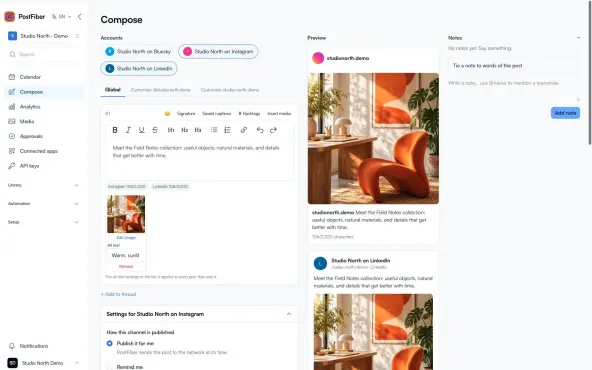
Crosspost with a version for each network. Add threads and a first comment where the network supports them.
The PostFiber composer with post text, channel versions and media.

AI helps you prepare. You review the result, and approval-controlled actions wait for approval.

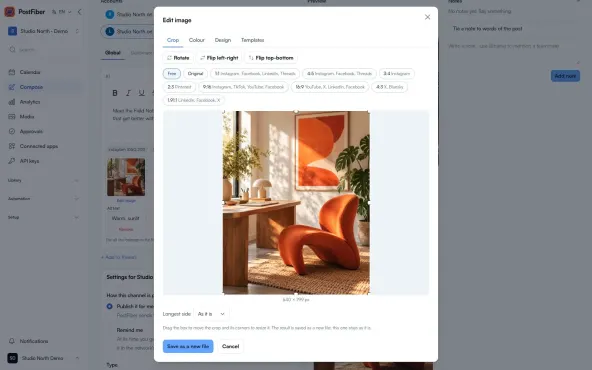
The PostFiber image editor preparing an image for a post.

Make the visual part of the story.

Prepare your images where you prepare your posts. Use the image editor for the finishing touches, or create something new with AI media tools powered by Pixany.

  • Edit images without leaving your publishing workflow
  • Generate images and video with AI
  • Turn longer videos into shorter clips

AI media generation uses credits. Your account shows the available tools and credit requirements before you create.

Less chasing feedback. More getting it out.

Give each brand its own project, calendar and channels. Bring teammates and clients into a clear review process, with the context next to the post.

Bring your team together
  • Ordered review stages before publishing
  • Client share links for comments and approvals
  • A separate client panel for reviewers
  • Roles, labels and campaigns to keep work organised

Give every reply the context it deserves.

Keep supported comments and direct messages in a shared inbox. Assign the conversation, see the contact and pick up where your team left off.

  • Comments and messages together where supported
  • A social CRM with contacts and conversation history
  • Team assignments and inbox rules

Learn from the posts. Listen beyond them.

Bring publishing results, reports and the wider conversation into your next decision. Spend less time gathering numbers and more time deciding what to share next.

Analytics that stay with the work
Follow account and post performance for supported networks without piecing together separate dashboards.
Reports made to share
Create custom reports and share results with your team or clients. Schedule reports to keep the conversation moving.
Keep an ear on your market
Track your brand, topics and competitors with social listening. Review mentions, conversation changes and AI briefs.

Your assets, your inspiration, your next click.

Make it easier to turn something useful into something shareable. Keep your media ready, collect ideas and give your audience one place to go.

A shared media library
Upload images, videos and documents, or import from a URL. Reuse your assets across posts and projects with the right access.
Collect, then create
Gather content through supported official APIs and turn useful references into your own next idea.
A link in bio that belongs to you
Bring your links together on a bio page and follow the clicks that come after the post.

Build a rhythm. Leave the repetition to PostFiber.

Keep your publishing moving with reusable content and clear rules. Set up the routine, then come back to the work that needs your judgment.

RSS and Atom
Bring new articles from your feeds into your publishing workflow.
Recurring posts
Give evergreen content another moment on your calendar.
Saved sets
Save and apply the channel and content combinations you use again.
Signatures
Add your usual sign-off without writing it every time.
Engagement plugs
Set supported replies and reposts to follow engagement thresholds.
Queues and time slots
Give ready posts a place in your publishing schedule.

Your tools. Your agents. The same PostFiber.

Work in the dashboard, from your own code or with an AI agent. The REST API and MCP server use the same product actions, permissions and project boundaries.

Connect your AI agent
REST API
Build publishing into your product with a documented API, scoped keys and OpenAPI.
MCP for AI agents
Connect compatible assistants such as Claude, ChatGPT and Cursor to draft, plan and manage your social workflow.
Webhooks
Let signed events start your next workflow when a post publishes, fails or needs attention.

Connect through the API or MCP

  • Claude
  • ChatGPT
  • Cursor
  • n8n
  • Zapier
  • Make

You choose the access. Actions that require approval stay behind the same approval process.

A plan for the way you publish.

Choose the channels and capacity your work needs. Compare current plans, billing periods and included features below.

Starter

10 channels, 1 project.

$29.00 / month

7 days free trial

  • 10 channels
  • 1 project
  • Unlimited posts and scheduling
  • Analytics
  • Social listening on Reddit, TikTok, YouTube, X, Threads and LinkedIn
  • Posts written from any link
  • 50 GB of media storage
  • API and MCP: 100 posts a day, 10 per channel
  • Unlimited team members
  • 7-day trial

Marketer

15 channels, 1 project.

$39.00 / month

7 days free trial

  • 15 channels
  • 1 project
  • Unlimited posts and scheduling
  • Analytics
  • Social listening on Reddit, TikTok, YouTube, X, Threads and LinkedIn
  • Unlimited media storage
  • API and MCP, with no daily limit
  • 1 user
  • 7-day trial

Pro

15 channels, 2 projects.

$49.00 / month

7 days free trial

  • 15 channels
  • 2 projects
  • Unlimited posts and scheduling
  • Analytics
  • Social listening on Reddit, TikTok, YouTube, X, Threads and LinkedIn
  • Posts written from any link
  • 100 GB of media storage
  • API and MCP: 250 posts a day, 25 per channel
  • Unlimited team members
  • 7-day trial

Pro Plus

30 channels, 3 projects.

$99.00 / month

7 days free trial

  • 30 channels
  • 3 projects
  • Unlimited posts and scheduling
  • Analytics
  • Social listening on Reddit, TikTok, YouTube, X, Threads and LinkedIn
  • Posts written from any link
  • Unlimited media storage
  • API and MCP: 500 posts a day, 50 per channel
  • Unlimited team members
  • 7-day trial

Operator

99 channels, unlimited projects.

$99.00 / month

7 days free trial

  • 99 channels
  • Unlimited projects
  • Unlimited posts and scheduling
  • Analytics
  • Social listening on Reddit, TikTok, YouTube, X, Threads and LinkedIn
  • Unlimited media storage
  • API and MCP, with no daily limit
  • Unlimited team members
  • 7-day trial

The plan details shown here are current. AI media uses credits; check your account for availability and credit options.

Before you bring it all together.

Which social networks can I connect?

Explore the full network catalog above. Connect your accounts through official APIs, create a version for each channel and manage your content together on one calendar.

Can I manage several brands or clients?

Yes. Keep brands in separate projects with their own channels, calendar and time zone. Invite teammates with roles, and bring clients into review through share links or the client panel. The number of projects and channels depends on your plan.

Can AI create and publish everything for me?

AI can help draft, adapt and prepare content, and compatible agents can work through MCP or the API. You decide what access they have. Review the output before publishing; actions that require approval cannot bypass that process.

Is AI media included in every plan?

AI media generation is credit-based. Check your account and the current plan details for availability and credit requirements. A subscription does not automatically mean that a media credit allowance is included.

Do my clients need access to my whole workspace?

No. Use a client share link or the separate client panel to give reviewers the work they need to see. Your project access and review stages control the process.

Can I use PostFiber without working in the dashboard?

Yes. The REST API and MCP server expose the same product actions. Use an AI assistant, an automation platform or your own code with the permissions and project access you choose.

What if a format cannot publish automatically?

Network APIs have different limits. Where a supported workflow needs your phone or a manual step, PostFiber uses a publishing reminder so you can finish it yourself.

Does PostFiber need my social network password?

No. Accounts connect through OAuth or the network’s official API credentials. PostFiber does not ask for your social network password or scrape your accounts to publish.

Less managing social. More making it matter.

Give your ideas a place to become posts, your team a place to work and your channels a shared rhythm.